Features, grouped by the question they answer
Every feature below is in the app today. Numbers are estimates based on the rules and assumptions you enter.
Can I retire — and when?
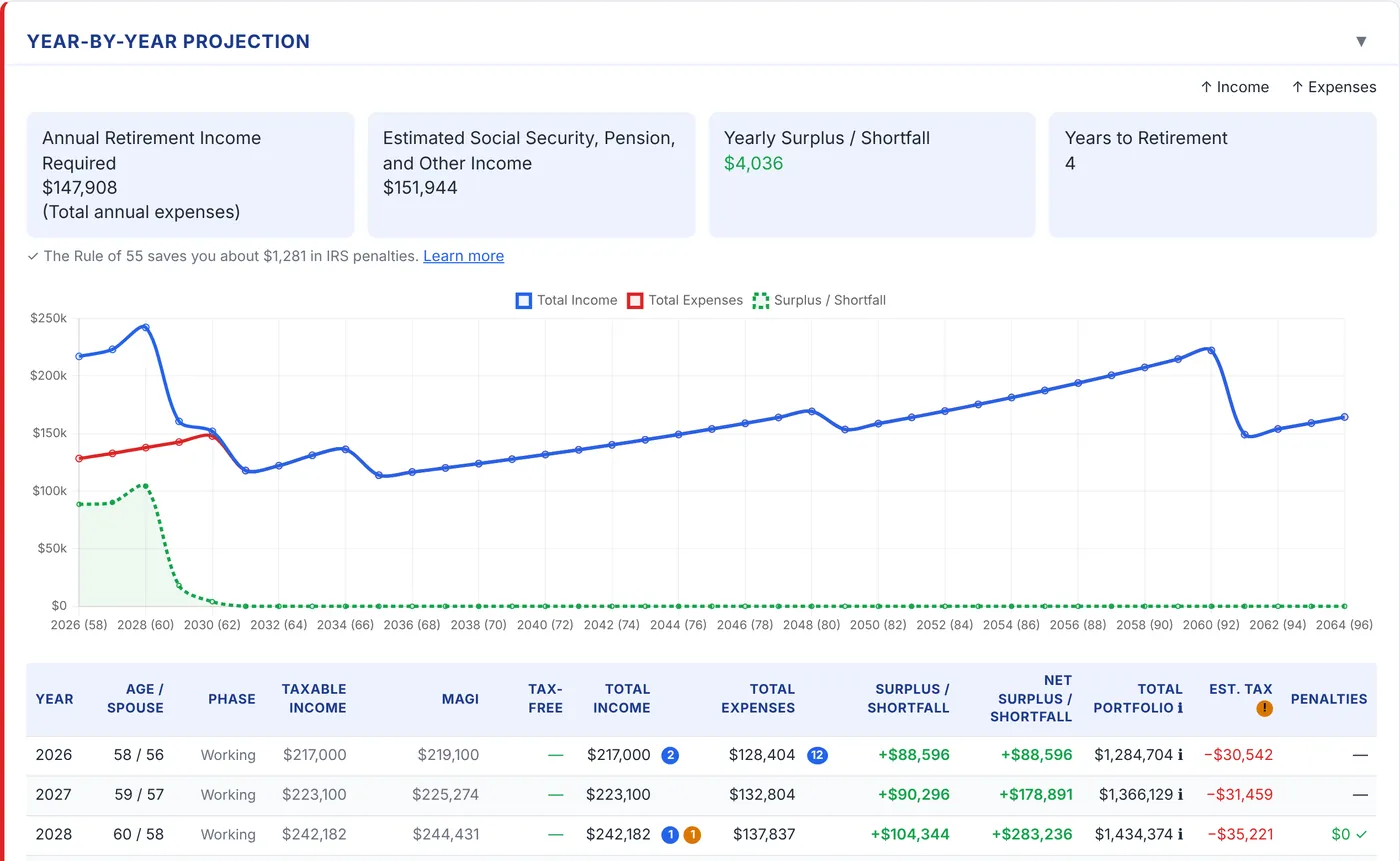
See every year from today to life expectancy: income, spending, taxes, balances and any shortfall. Try a different retirement age or spending level and compare plans side by side.
- Year-by-year projection to life expectancy, for one person or a couple
- Account balances table for every account
- Summary numbers: income needed, income expected, surplus or shortfall, years to retirement
- As many plans as you like, and Compare to see them side by side
When should I claim Social Security?
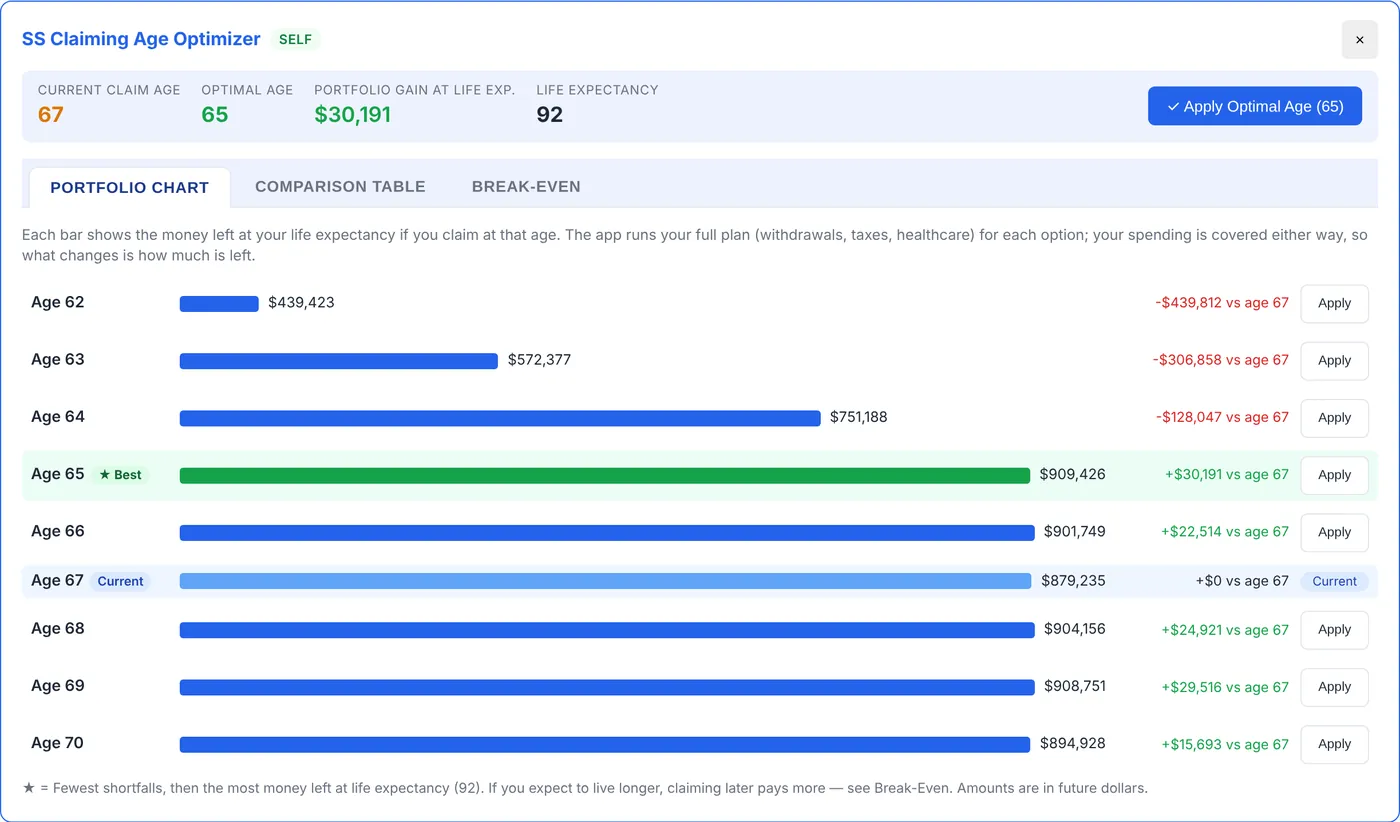
The optimizer runs your whole plan for every claiming age from 62 to 70 and shows which one leaves you the most money, with break-even ages.
- Social Security optimizer for you and your spouse
- Break-even ages (62 vs 67, 67 vs 70) next to your life expectancy
- Survivor benefits and the extra tax of filing single after a spouse dies
Will my money last?
Find the years where money runs short, then try fixes — work longer, spend less, claim later, sell an asset — and see the result before you change anything.
- Shortfall wizard: "fix my shortfall" with side-by-side results
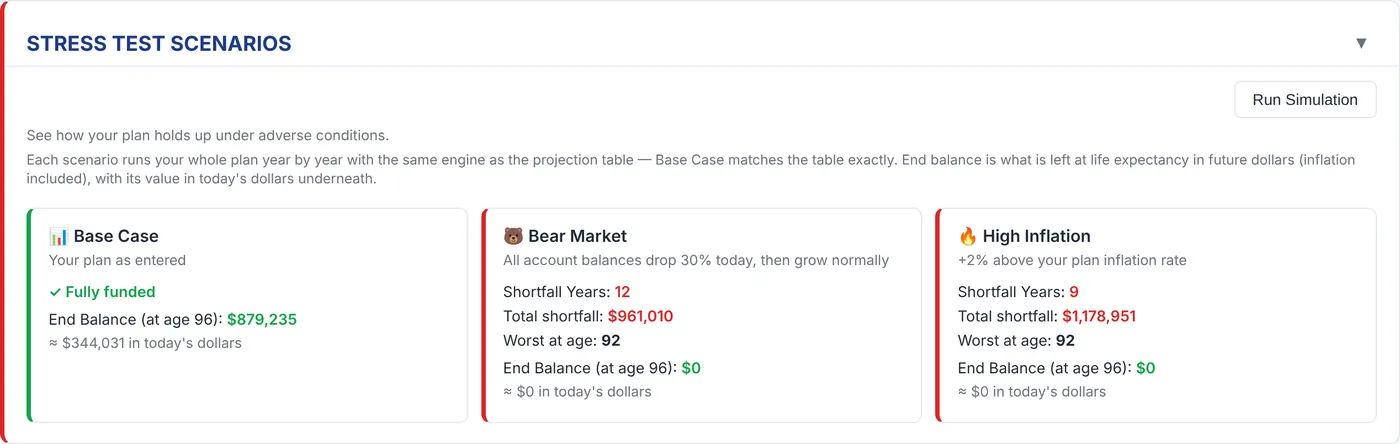
- Stress test: a 30% market drop and higher inflation
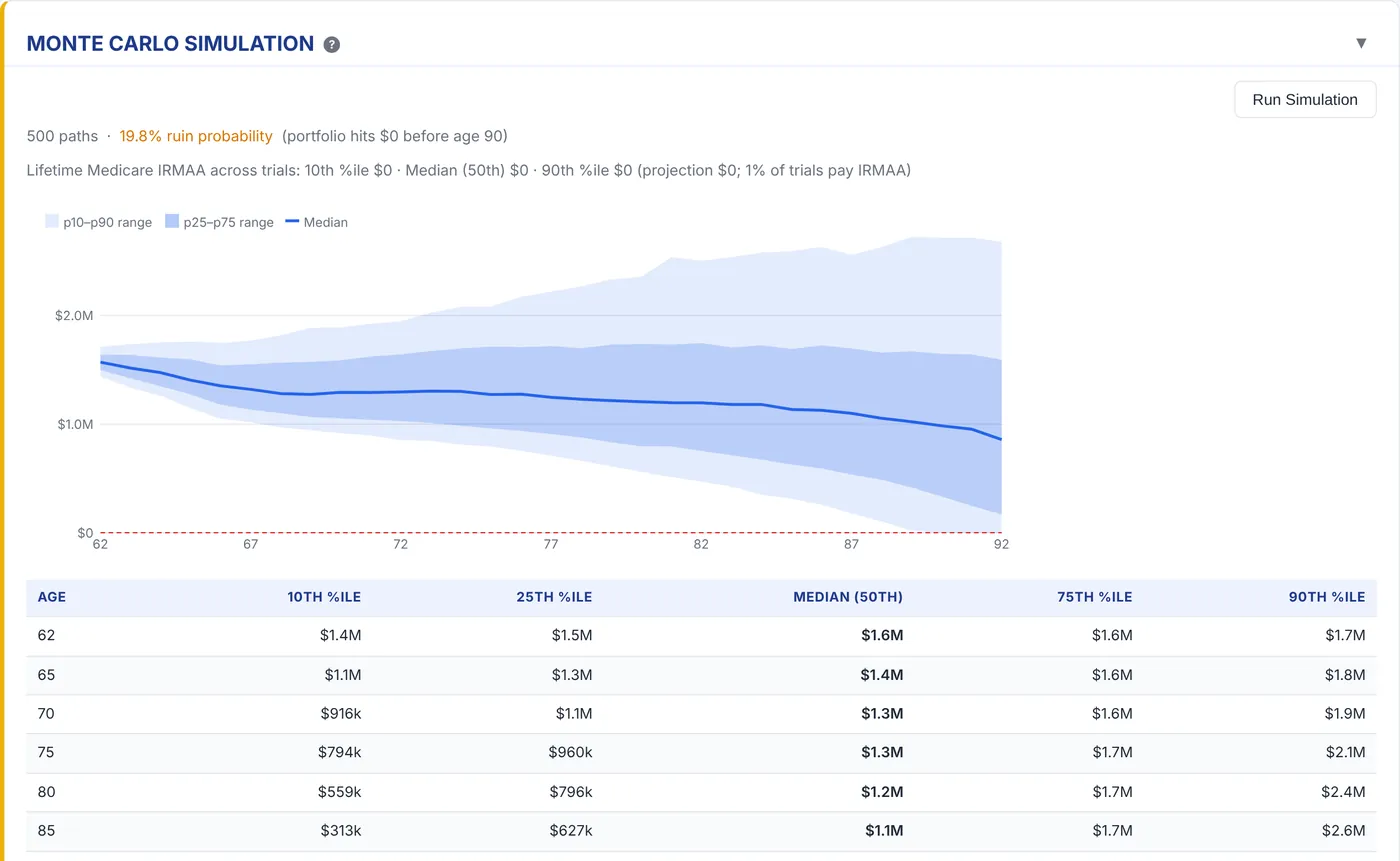
- Monte Carlo: the estimated chance of running out of money
How do I pay less tax?
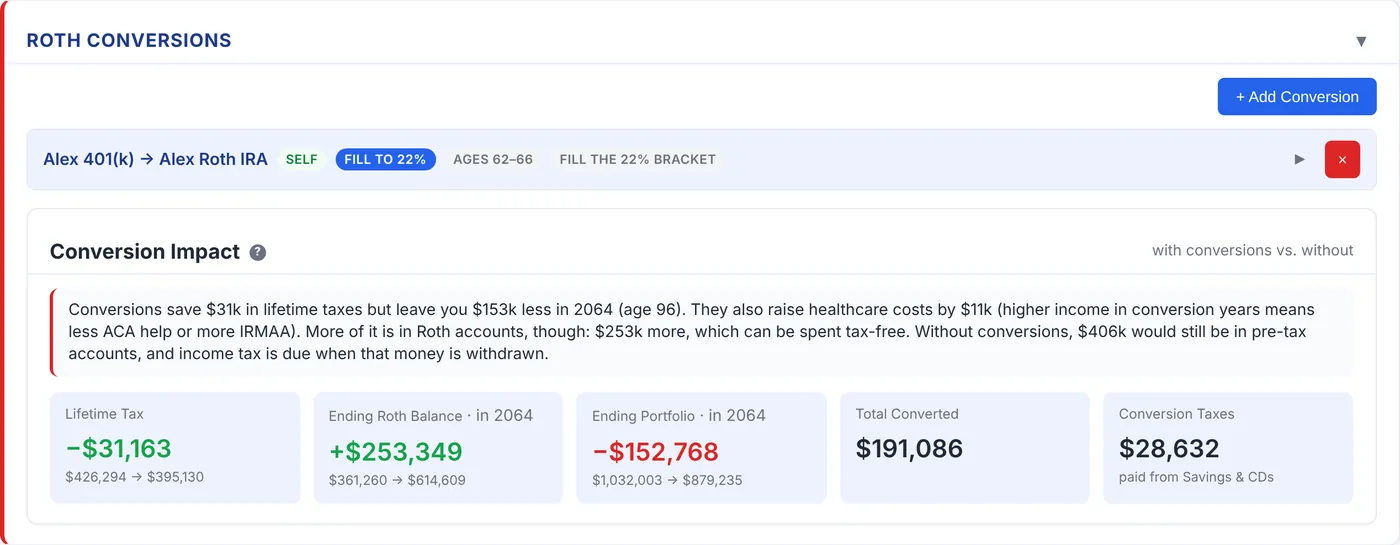
The app models how each dollar is taxed and suggests a tax-smart order for withdrawals and Roth conversions.
- Tiered Social Security taxation (0%, 50% or 85% taxable) by filing status
- Federal tax brackets, capital gains and a state income-tax estimate
- Roth conversions: a fixed amount, or fill up to a tax bracket, with the impact on lifetime tax
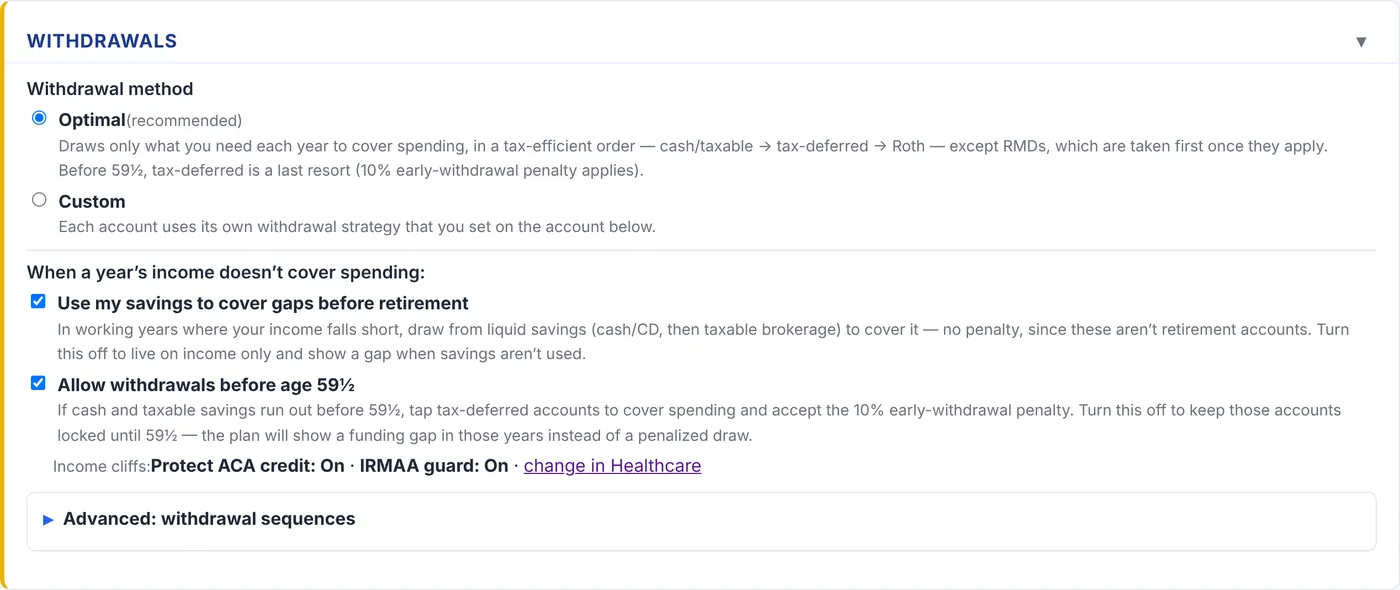
- Optimal withdrawal order and custom withdrawal sequences
- Required minimum distributions starting at 73 or 75, depending on your birth year
- IRS penalty warnings, including the Rule of 55
What will healthcare cost?
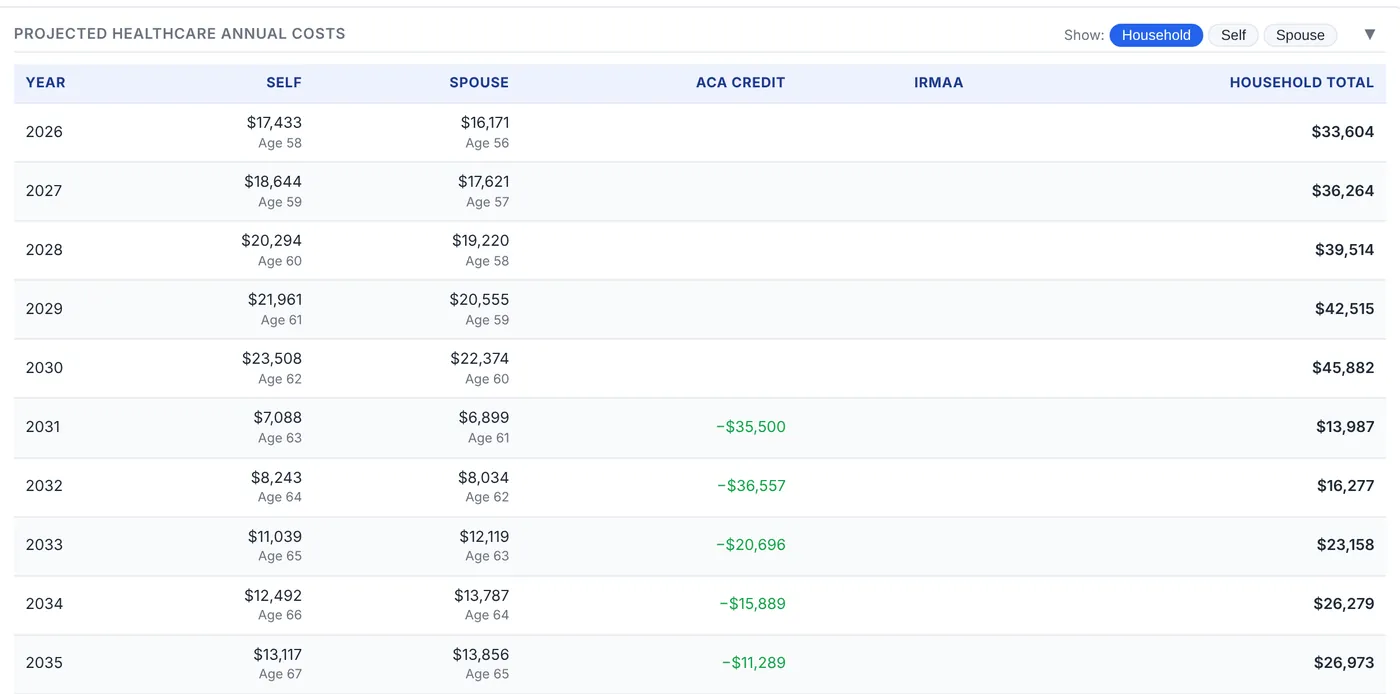
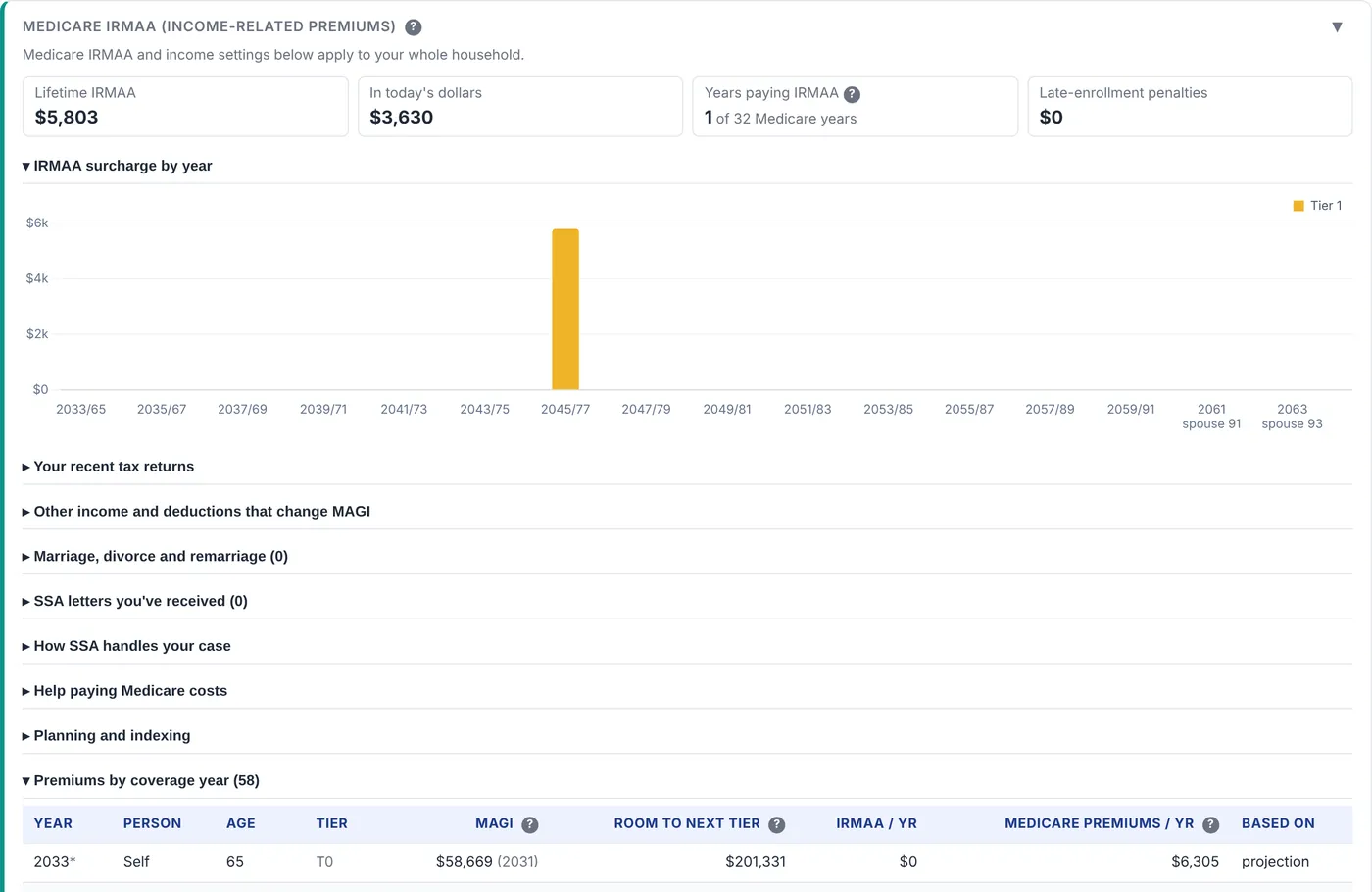
Healthcare is often the biggest surprise. The app estimates coverage before 65 and Medicare after, including income-based surcharges.
- ACA marketplace or COBRA before 65, with subsidy estimates
- Medicare Part B and D premiums and IRMAA surcharges
- Long-term care costs
- Income-cliff guards that keep income under the ACA limit and the next IRMAA tier
What do I have and spend?
Enter what you really have: every common account type, pensions, jobs, things you might sell and your spending.
- 401(k), 403(b), 457(b), IRAs, Roth, HSA, brokerage, savings and CDs
- Pensions with survivor benefits, cost-of-living raises and lump-sum options
- Jobs with raises, bonus and employer match
- Sellable assets such as a home or a business
- Expense Library and automatic investing of surplus income
Can I get a second opinion?
Ask the AI advisor about your own plan, or print a report for your spouse or an advisor.
- AI advisor that runs on your computer (needs Ollama, a separate free program)
- One-click PDF report
Is my plan safe?
Your work is saved as you type, and you can keep copies wherever you like.
- Autosave
- Back up and restore everything in one file
- Export and import single plans, with optional password protection
About the AI advisor
The AI advisor uses Ollama, a separate free program made by another company, and an AI model with its own license. The app offers to set them up for you; the download needs the internet once, and after that the AI works without internet. AI answers can be wrong — check them against the numbers in your plan.
Ollama is a separate product made by another company. We are not affiliated with or endorsed by Ollama or the AI model makers.
The app offers Llama 3.2 3B as its lightweight model. Built with Llama · Llama 3.2 Community License · Acceptable Use Policy